When to Use One
Free form sourcesSource: "where information was found". This could be anything from an archive in a county records office, a book, or even a relative's recorded recollection. Citing your Sources helps to show how you reached a particular conclusion about an Individual. suit people who already have a citation style they like, or citationsA link between a source and a fact, documenting Where within the source you find information being "cited" to support the fact/conclusion. written out elsewhere, and do not want ƒh to assemble the text for them. They also suit sources that do not fit any template. What they cannot do is anything that depends on structured fields, such as changing the look of many citations at once by editing a template or a preference.
Creating a Free Form Source
- Choose Add New Free Form Source. The Citation Window opens.
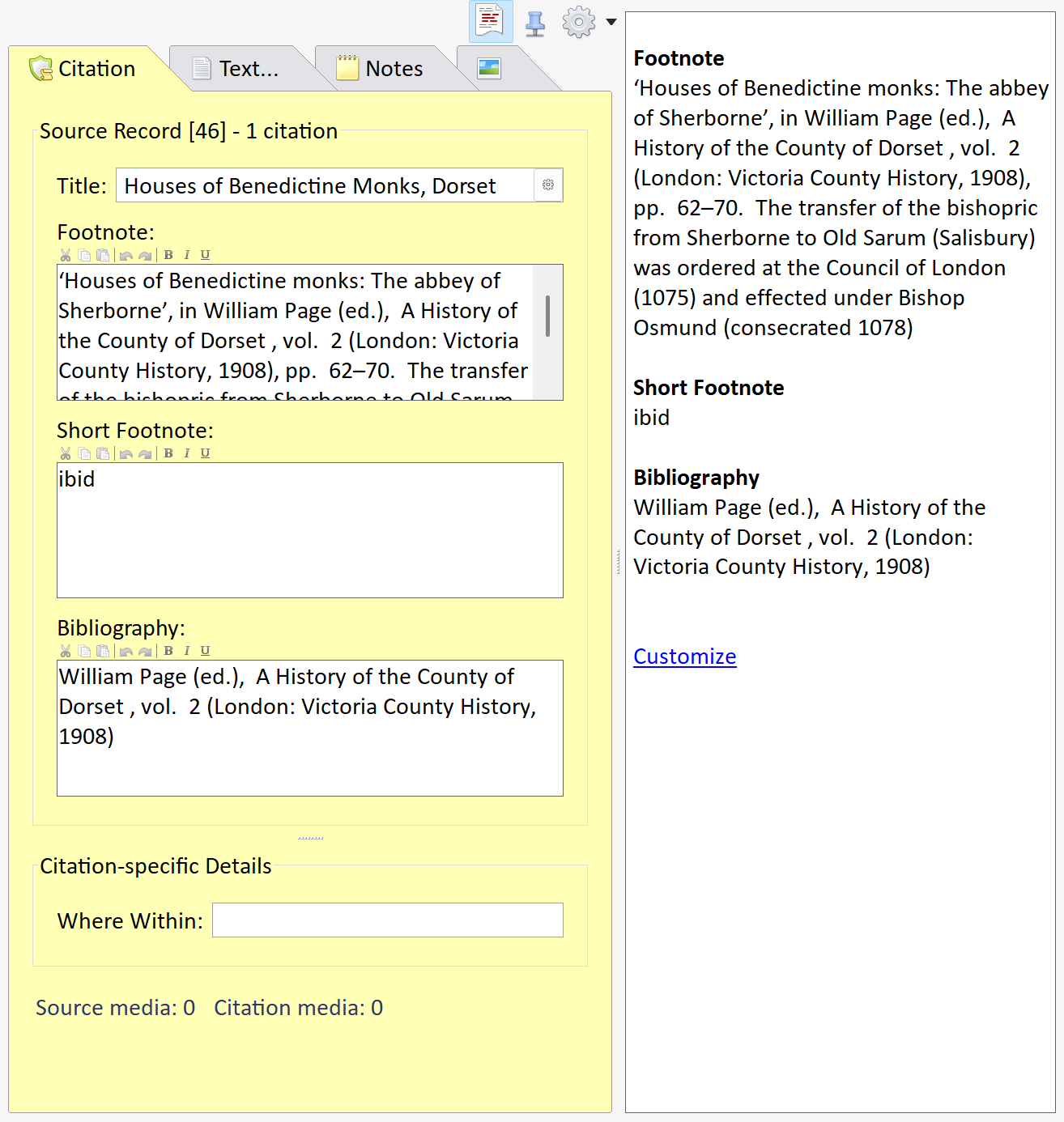
- Give the source a title. This is what you will see in lists of sources.
- Type the footnote as it should appear in a report. Bold, italic and underline are available.
- Add a short footnote and a bibliography entry if you want them. Either can be left empty.
- Add the citation details for this particular factFacts are one of the key concepts at the heart of Family Historian; they are how you record the things that happened to, or described, each ancestor (Individual)., such as the page or entry, as you would for any source.
The side panel of the Citation Window shows the footnote and bibliography as they will appear.
Customising Citations
A citation to a free form source can be customised in the Customize Citation dialog, for example to change the footnote for one citation only. Unlike generic and templated sourcesFamily Historian Version 7 introduced the ability to define sources using 'Source Templates' to aid precision and consistency in entering source-identifying information. , a free form source cannot be customised at the source level, since its text is already whatever you typed. For customising citations to generic and templated sources, see Customising Citation Output in Sources and Citations in Version 8 (for New Users), and Customize Citation.
Exporting
GEDCOMGEDCOM, an acronym for GEnealogical Data COMmunication, is a specification for exchanging genealogical data between different genealogy software. It is a file format that most genealogical programs and online trees recognise. has no placeAccording to GEDCOM, a Place should hold "The jurisdictional name of the place where the event took place…" for free form sources. When exporting, leave Non-generic Source-handling in the Export GEDCOM File dialog set to an option that includes Prioritize compatibility (the default); the citation text is then copied into standard GEDCOM fields so that other programs receive it. See Exporting Templated Sources.