Introduction
GeocodingGeocoding is the process of converting addresses/places (like a street address) into geographic coordinates (latitude and longitude), which you can use to place markers on a map. is the process of associating geographical co-ordinates (latitude and longitude) with place and/or address information. This enables you to display on a map the locations where eventsEvents are things that happened to an Individual and Attributes are things that described them. in the life of an individual took place.
Geocoding in Version 6 and above
ƒh version 6 introduced Place RecordsAccording to GEDCOM, a Place should hold "The jurisdictional name of the place where the event took place…" which have fields for latitude and longitude. You can update these by:- Opening the Map Window (View > More Workspace Windows > Map Window or use the Map Pin button
 on the taskbar) and following the instructions at The Map Window.
- You can geocode markers automatically; or drag a place/fact from the list onto the map to set its position; or drag a marker already on the map to improve its position. If you want to drag markers, remember to enable dragging using the Enable Marker Dragging button on the Map Window taskbar.
- You can geocode markers automatically; or drag a place/fact from the list onto the map to set its position; or drag a marker already on the map to improve its position. If you want to drag markers, remember to enable dragging using the Enable Marker Dragging button
- Opening a Place Record for editing (either in the Map Window or the Places Record Window) and entering latitude and longitude manually. You might choose this approach if you have (for example) found a location on Google Maps that won’t automatically geocode.
 on the taskbar) and following the instructions at
  on the Map Window taskbar.
You can view locations on a map within the Map Window. In ƒh 8 a map can be saved as a Media recordWhen you add a picture, video, sound recording, document file etc into a Family Historian project, a Media record is created to represent that media item within the project; the Media record includes a link to the actual Media file. (Mapping > Save Map As > Media Record) and then placed in a diagram, report, book or website; earlier versions have no way to get a map into a website generated by ƒh.
Automatic Geocoding
- Before using the automatic geocoding of Place names, it is advisable to use Tools > Preferences and tick Block Refresh of Non-tentative Geocodes on the Map Window tab to avoid refreshing and upsetting manually adjusted records.
- ƒh automatic geocoding is limited to a quota of about 250 requests per day, although it may be somewhat higher on the first day.
Geocoding Addresses in Version 8
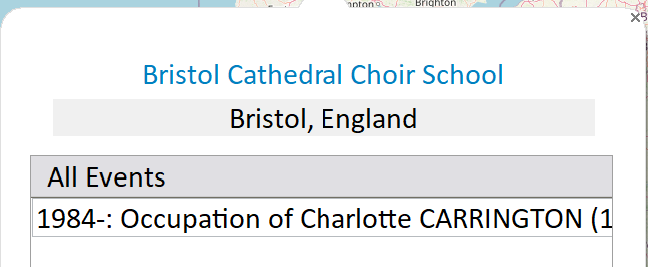
Add Maps Plugin (Version 8)
The Add Maps pluginPlugins are small programs that allow new features to be added without upgrading Family Historian itself; some plugins are written by Calico Pie and others are written by users. takes over from Map Life FactsFacts are one of the key concepts at the heart of Family Historian; they are how you record the things that happened to, or described, each ancestor (Individual). for ƒh 8. It does three things, each optional:
- Geocodes the Places and, separately, the Addresses in your projectA Project is a Windows folder, created by Family Historian, which contains all your Family Tree information recorded in Family Historian. Normally located in the Documents\Family Historian Projects folder. in bulk, singly or in batches, and writes the coordinates back into the Place and Address records so that the ƒh Map Window can use them. It uses its own geocoding services (Geoapify by default, or OpenCage or LocationIQ), each needing a free API key, so it is not subject to the daily quota of the built-in geocoding and may do better in some regions. Places already geocoded are left alone unless you ask otherwise, and you can correct a doubtful pin by dragging it on a map and saving the result.
- Builds an interactive map of where a person’s life happened, or one combined map for a group of people, as a web page you open in your browser: street, satellite and historic Ordnance Survey base layers, a journey line through the events in dateWhen an Event happened, or an Attrribute was true. order, an optional time slider, and popups giving the event, date and the person’s age.
- Embeds those maps into the pages of a website generated by ƒh, one live map per person.
Records marked Private or Living are left out of published maps.
Map Life Facts Plugin
The Map Life Facts plugin works from ƒh version 5 to version 7; it does not work in version 8, where the Add Maps plugin above replaces it. It can geocode various combinations of place and address information and maintain its own database of locations outside ƒh, or store the results within ƒh in a variety of locations. It can also generate html maps of the locations associated with one or more individuals; however, these are held outside ƒh but can be included as separate pages in a website generated within ƒh.
This plugin can be very useful in parallel with the built-in geocoding and mapping facilities in ƒh versions 6 and 7, as it can be configured to store its results within Place Records. It has the advantage that you can geocode more items per day. It may also be more accurate in some geographical regions than the built-in geocoding.